If you searched for the Bilibili app and ended up with something that had no anime in it, you are not the first. You almost certainly installed the wrong one.
Three separate Android apps carry the Bilibili name. They are published by related companies, they use variations of the same pink and blue branding, and they behave completely differently once you open them. Google Play does not warn you about this. Neither does any of the coverage from the August 2026 relaunch.
The short answer, if you are outside Southeast Asia: install the pink one with a small globe in the top left corner of the icon. Its package name is com.bilibili.app.in and the publisher reads BILIBILI SINGAPORE PTE. LTD.
The three apps at a glance
| International | Bstation | Mainland China | |
|---|---|---|---|
| Package name | com.bilibili.app.in | com.bstar.intl | tv.danmaku.bili |
| Icon | Pink, small globe top left | Blue | Pink, no globe |
| Publisher on Play | BILIBILI SINGAPORE PTE. LTD. | Bilibili | Bilibili Inc. |
| Interface | English and 7 others | English and local languages | Chinese only |
| Sign up | Phone number or email | Phone number or email | Chinese number expected |
| Video library outside SEA | Yes | No | Yes |
| Best for | Everyone outside China | Southeast Asia only | Fluent Chinese readers |
There is also a fourth package, com.bstar.intl.tv, which is the television build of Bstation and inherits the same regional limits.
How to tell them apart before you install
Three checks, in order of how quickly you can do them.
Look at the icon. The international app has a small globe symbol tucked into the top left corner of the pink tile. The mainland app is the same pink without the globe. Bstation is blue. On a phone screen the globe is easy to miss, so zoom in on the store listing image before tapping install.
Read the publisher line. It sits directly under the app name on Google Play. BILIBILI SINGAPORE PTE. LTD. is the international app. Anything else is one of the others.
Check the package name. This is the definitive test and it works even after installation. On most Android phones, go to Settings, Apps, tap the app, then scroll to the bottom or open App info. The package name appears there. If it does not read com.bilibili.app.in, you have a different product.
That third check is also how you verify an APK you downloaded from somewhere other than Play. A file can carry any name and any icon. The package name is harder to fake convincingly, and it is the first thing worth looking at.
The international app, and who it is for
This is the one Bilibili relaunched globally on 19 August 2026, and it is aimed at exactly the situation most readers of this page are in.
The change that matters most is what was removed. Until this relaunch, creating an account from outside China meant submitting a passport or a national identity document. That requirement kept most people out entirely, and it is now gone. A phone number or an email address is enough.
What you get inside is the reason people are looking in the first place. Bilibili reports over 376 million monthly active users, with an average of 119 minutes a day spent in the app. The library covers anime, Chinese donghua, gaming and esports, technology reviews, music, education and an enormous quantity of user uploaded video. The company has said the content is the same across the Chinese and international versions, though it is worth noting that this comes from Bilibili’s own statements rather than from any independent audit of the catalogue.
Three features are worth knowing about before you open it:
Danmaku. Viewer comments scroll across the video itself, synced to the second somebody posted them. This is Bilibili’s signature and it is genuinely unlike anything on YouTube. It is also the first thing many new users want to switch off, which is fair, and the setting is in the player.
AI subtitles and dubbing. Built into this version so the Chinese catalogue is watchable without knowing Chinese. Coverage is uneven. Newer and more popular uploads are handled well. Older material in the back catalogue is patchy, and Bilibili has said it is still working through it.
Offline downloads. Included rather than locked behind a paid tier, which matters if your evening connection is unreliable.
The interface runs in English, Indonesian, Thai, Spanish, Portuguese, Vietnamese, Malay and Arabic. Urdu is not among them.
Bstation, and the limit almost nobody mentions
This is where most people go wrong, and it is not their fault.
Bstation has over 100 million installs. That number means it dominates search results, app store recommendations and almost every “Bilibili APK download” article you will find. If you searched casually, this is probably what you got.
Bstation is a real Bilibili product. In Southeast Asia it is a good one, with a licensed anime catalogue of over 2,000 titles and multilingual subtitles. Indonesia got it in April 2022, Malaysia the same year.
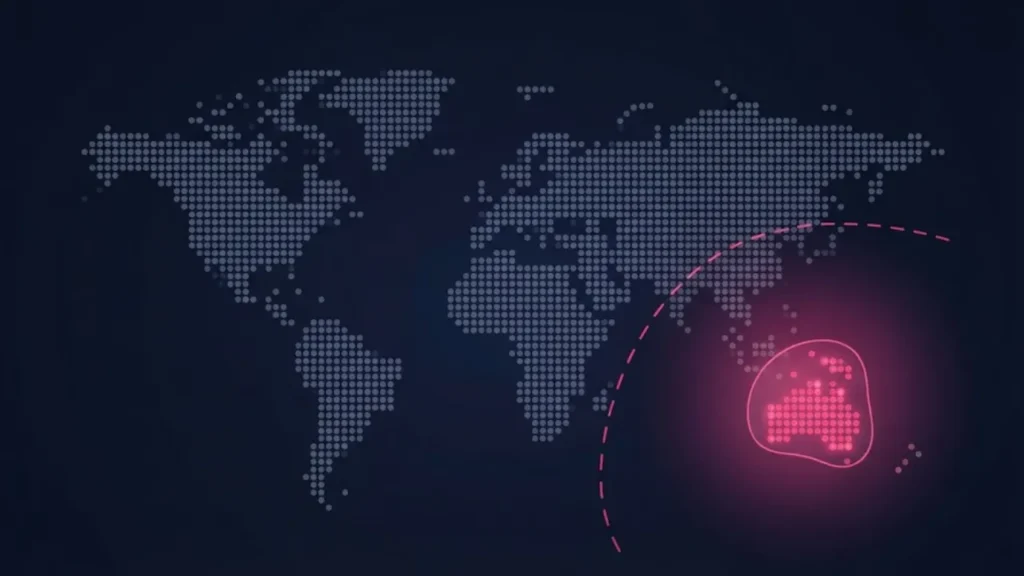
The problem is what happens outside that region. Bstation’s own App Store listing carries a regional service notice stating that it does not offer anime or user video viewing services outside Southeast Asia. What remains available is voice chat rooms and community posts.
Pakistan is not in Southeast Asia. Neither is India, the Middle East, Europe, or the Americas.
So if you installed a Bilibili app and found a social app with voice rooms instead of the video platform you came for, nothing is broken and the app is not fake. You simply have a product built for a region you are not in. Uninstall it and get the pink one with the globe.
The mainland China app
tv.danmaku.bili is the original, the one 376 million people in China use daily.
It is not a worse app. It is arguably the fullest version of the platform. But the interface is Chinese throughout, with no language switcher, and parts of the account flow still expect a mainland Chinese phone number. If you do not read Chinese, you will not get past the first few screens, and a browser translation extension does not help inside a native app.
The video library is the same one the international app draws from. So there is no catalogue advantage to be gained by fighting through it. For anyone who does not read Chinese, this app offers nothing the international version does not.
What if you already installed the wrong one
Straightforward to fix.
- Check the package name in Settings, Apps, using the method above.
- If it is not
com.bilibili.app.in, uninstall it. - Install the international app from Google Play.
- Sign up again with your phone number or email.
Accounts do not carry across. An account created in Bstation is not the same account as one created in the international app, so expect to register again. Nothing is lost, because there was nothing to lose yet.
A note on third party APK sites
You will find all three of these apps on APKPure, Uptodown, APKCombo and a dozen similar mirrors.
Files distributed through those sites are re-signed before they are handed out. That means the cryptographic signature no longer matches what Bilibili published, and there is no way to confirm that what is inside the package is what the publisher shipped. Re-signed APKs are the most common route by which Android malware reaches a phone.
For a free app with an active official rollout, that risk buys you nothing at all.
If the app is not showing in your Play Store, the honest answer is that the rollout has not reached your region yet. Bilibili has said more countries are coming. Waiting is the sensible choice, and in the meantime the website works in any browser.
Frequently asked questions
Which Bilibili app should I install in Pakistan?
The international one. Pink icon with a small globe in the top left corner, package name com.bilibili.app.in, published by BILIBILI SINGAPORE PTE. LTD.
Why does my Bilibili app have no anime in it?
You installed Bstation, the blue app. Its store listing states it does not offer anime or user video viewing outside Southeast Asia. Uninstall it and get the pink app with the globe.
Is the international app the same as the Chinese one?
The video library is the same. The differences are the interface language, the sign up process, and the fact that the international app no longer requires identity verification.
Do I need a passport to sign up?
No. That requirement applied to the old overseas registration flow and was removed with the August 2026 relaunch. A phone number or email address is enough.
What is the correct Bilibili package name?com.bilibili.app.in for the international app. Bstation is com.bstar.intl and the mainland app is tv.danmaku.bili.
Is there a Bilibili app for iPhone?
The international iOS app has not been released. Bilibili said it was coming when the Android version launched in August 2026 and has not given a date since.
Can I switch between the apps?
You can install more than one, but accounts do not transfer between them. Each requires its own registration.