Getting a Bilibili account from Pakistan is straightforward until the verification code does not arrive. Then it becomes the reason most people give up.
This page covers whether the app is available here at all, how to register with a +92 number, and what actually works when the SMS never shows up. The last part is the one worth reading, because it is a carrier problem rather than a Bilibili problem, and the fixes are not obvious.
Is Bilibili available in Pakistan?
Bilibili relaunched its international app globally on 19 August 2026, but the company was clear that it is rolling out region by region and that more countries were still coming. Availability in any given Play Store is controlled by Google Play distribution settings rather than by any block.
[TEST] Check this yourself and write what you see. Open the Play Store on your phone, on a Pakistani connection, and search Bilibili. Note whether the international app appears, whether the Install button is active, and the date you checked. Put a screenshot here.
To be clear about what this is not: Bilibili is not blocked in Pakistan. There is no ban, no PTA restriction on the platform, and the website works in a browser regardless of what the Play Store shows. If a listing does not appear for your account, that means the app has not been distributed to this store region yet, which is a different thing entirely.
Which app you are signing up for
Before registering, make sure you have the right app. Three Android apps carry the Bilibili name and only one of them will give you the video platform in Pakistan.
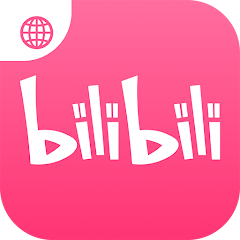
You want the pink icon with a small globe in its top left corner, package name com.bilibili.app.in, published by BILIBILI SINGAPORE PTE. LTD.
The blue app is Bstation, and outside Southeast Asia it provides voice chat and community posts rather than the anime library. If you sign up there, everything below will work and you still will not get what you came for. There is a full breakdown of the differences in our guide to which Bilibili app to install.
Signing up with a Pakistani number
The passport requirement is gone. Until the August 2026 relaunch, registering from outside China meant uploading a passport or a national identity document, which is the single reason most people outside China never had an account. That is no longer part of the process.
The flow now:
- Open the app and tap the profile icon. Choose sign up rather than log in.
- Open the country selector. It is sorted alphabetically by country name, not by dialling code, so scroll to Pakistan rather than hunting for 92.
- Enter your number without the leading zero. If your number is 0300 1234567, enter 300 1234567 with
+92already selected. - Tap to request the code and leave the app open in the foreground.
- Enter the six digit code when it arrives.
- Set a password between 6 and 20 characters.
- Choose a nickname and avatar, then accept the user agreement.
- Pick two or three interests when prompted. This matters more than it looks. The default feed leans heavily Chinese, and selecting topics reshapes it immediately.
Total time when the code arrives on the first attempt is under two minutes.
When the SMS code never arrives
This is the failure point, and it is where most people in Pakistan stop.
The cause is not the app. Pakistani mobile networks filter a proportion of international SMS traffic, and verification messages from overseas gateways are among the most commonly caught. The message is often not delayed but discarded before it reaches your handset. That is why waiting longer usually does nothing.
Work through these in order.
Switch your connection, then request again. Move from mobile data to Wi Fi, or from Wi Fi to mobile data, and request a fresh code. This is the fix that works most often, and it is the one Bilibili’s own documentation points to. Changing the connection can change the route the request takes.
Wait two full minutes between attempts. Requesting repeatedly in quick succession triggers a cooldown on Bilibili’s side, and you will then be locked out of requesting for several minutes. Slower is genuinely faster here.
Check your blocked and spam messages. Both the default messaging app and any third party SMS app you use keep separate spam folders, and international shortcodes land there routinely.
Confirm the number you typed. Entering the leading zero after selecting +92 is the most common typing error. The number should have ten digits after the country code.
Try outside peak hours. International SMS gateways queue heavily during evening congestion. Early morning is noticeably more reliable in general, though how much difference this makes on any given network is worth testing.
Restart the phone. Sounds like filler advice, and usually is, but a stuck SMS queue on the handset is a real thing and a restart clears it.
[TEST] Test this on at least two networks and write what happened. Try registering on Jazz, Zong, Telenor and Ufone if you can, and record for each one whether the code arrived, roughly how long it took, and how many attempts it needed. Even two networks is enough to make this section more useful than anything else published on the subject. Write it as a short table with the date you tested.
This is genuinely the most valuable thing on this page. Nobody else has published it, and no competitor can copy it without doing the work themselves.
Register with email instead
If your carrier is filtering the message outright, stop fighting it and use email.
Bilibili’s international terms list email as a registration method alongside phone numbers, and the flow is otherwise identical. You receive a verification code in your inbox instead, and the account behaves the same afterwards.
Two notes. First, check your spam folder, because verification mail from a new sender frequently lands there. Second, an email account cannot always be converted to a phone verified account later, so if you have a reason to want your number on the account, exhaust the SMS options first.
[TEST] Confirm the email option appears in the current build. Available sign up methods vary by region during the rollout, so check what your app actually offers and describe the screen you see.
Does it work without a VPN in Pakistan?
If the app is available in your Play Store, yes.
Search results for this question are dominated by VPN affiliate articles, most of them written years ago and never updated. They are selling subscriptions rather than answering the question, and the answer they give is out of date.
The situation as it stands: Bilibili is not blocked in Pakistan. The international app is designed for overseas users and does not expect a Chinese connection. If you hit a message about a video being unavailable in your region, that is content licensing on a specific title, the same thing that happens on every streaming platform, and a VPN is a poor answer to it.
The one case where a VPN might seem tempting is when the app has not reached your Play Store region yet. Changing your Play Store country is a slow, awkward process with real consequences for your existing purchases and subscriptions, and the rollout is ongoing. Waiting is the more sensible choice.
What it costs
Nothing to download, nothing to watch.
There is no subscription required to use the platform. The app offers in app purchases for gifts and premium extras, which are optional and easy to ignore entirely. If any page tells you a paid unlock is needed to watch, that page is describing a different app or is trying to sell you something.
After you are in
Three things worth doing in the first five minutes.
Set your content preferences properly. The interest selection during sign up is a rough filter. Watching a few videos in the categories you actually want tunes the recommendations far faster than the initial choice does.
Find the danmaku setting. Comments scroll across the video itself, synced to the second they were posted. Some people love it and some want it gone immediately. The control is in the player settings, and you can reduce the density rather than switching it off entirely.
Turn on subtitles and AI dubbing. Both live in the player settings rather than the main app settings, which is where most people go looking first. Coverage across the older catalogue is patchy, so newer videos will work better.
Frequently asked questions
Is Bilibili available in Pakistan?
The international app rolled out globally in August 2026 and continues to expand region by region. Open the Play Store on your own phone and search Bilibili, since that is the only answer reflecting your account and today’s date. The platform is not blocked in Pakistan.
Can I sign up with a Pakistani number?
Yes. Select Pakistan from the country list, enter your number without the leading zero, and wait for the six digit code.
Why is my Bilibili verification code not arriving?
Pakistani carriers filter a share of international SMS. Switch between mobile data and Wi Fi and request again, wait two full minutes between attempts, and check your blocked messages. If it still fails, register with an email address instead.
Do I need a passport or ID to register?
No. That requirement applied to the old overseas sign up and was removed with the August 2026 relaunch.
Does Bilibili work without a VPN in Pakistan?
Yes, if the app is available in your Play Store. The platform is not blocked here.
Is Bilibili free in Pakistan?
Yes. There is no subscription to watch. In app purchases exist for gifts and extras and are entirely optional.
Which Bilibili app should I install in Pakistan?
The international one, package com.bilibili.app.in, pink icon with a globe in the top left corner. Not the blue Bstation app.
Can I use an email address instead of a phone number?
Yes, email is listed as a registration method. Check your spam folder for the verification message.